
Know your IT. Prepare decisions.
Which devices are in use? Where is a specific application installed? What information is missing for the next procurement? If the answers lie in individual lists and from different people, even a simple inventory question becomes complex.
LOGINventory brings together technical inventory data in a common environment. The solution supports the capture and evaluation of hardware, software and configurations. IT documentation and – with the appropriate range of functions – license management are based on this. This creates a working basis that your team can use for operations, planning and queries.
Make your inventory visible
Record and evaluate devices, installed software and technical features in a structured manner.
Recognize connections
Use queries, network views, and reports based on the same inventory data.
Use data in everyday life
Compile targeted information for renewals, support cases and license checks.
From the first scan to a usable overview.
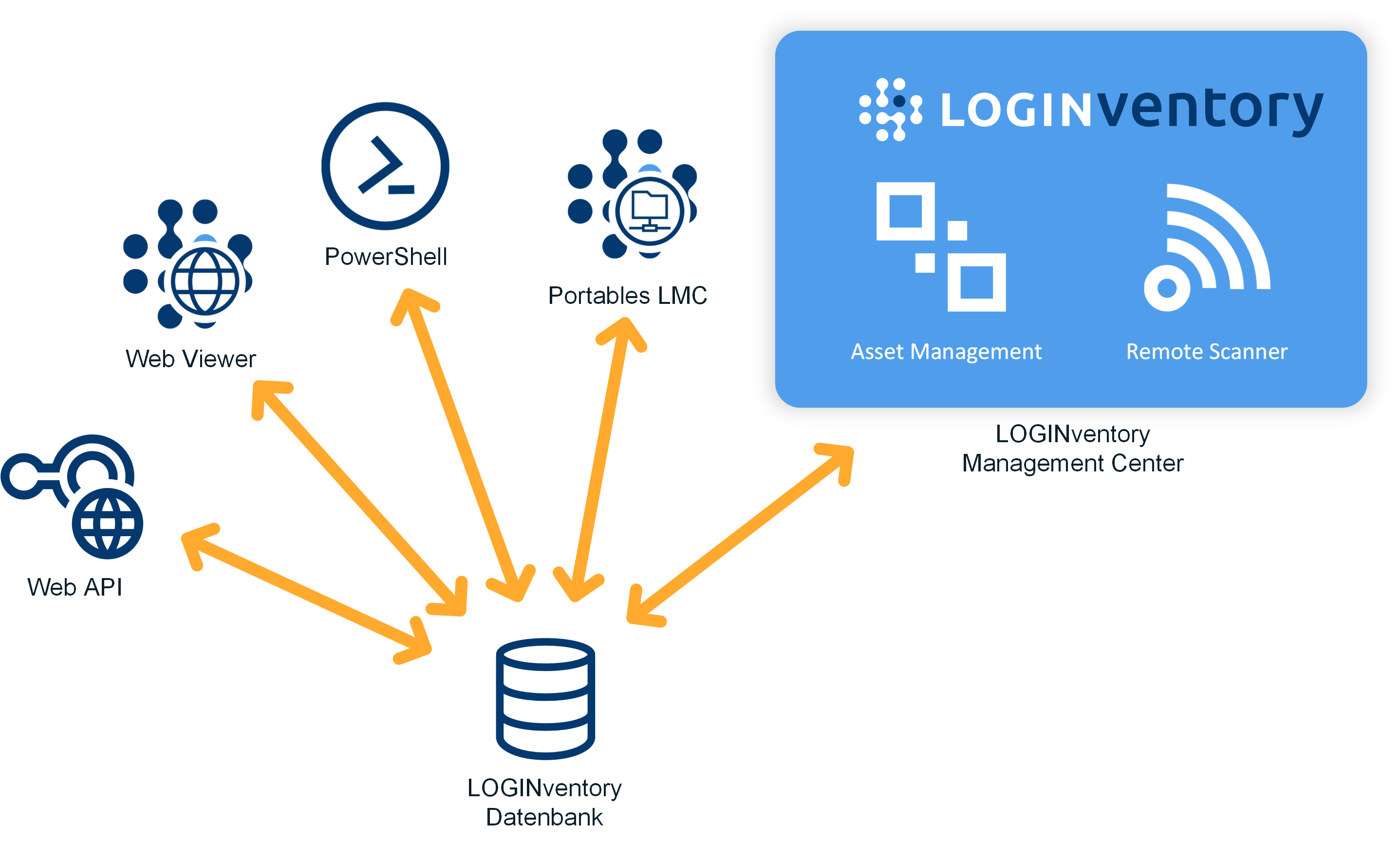
Inventory hardware and software
LOGINventory can detect various devices and systems, including Windows, Linux and macOS computers as well as suitable network devices via SNMP. Which data is actually available depends on the device, authorizations, accessibility and the selected collection method.
Agentless capture is possible in the local network. For systems outside the usual accessibility, additional recording methods such as the offline agent are available. We plan with you how office equipment, servers and mobile workstations can be taken into account as fully as possible.
A successful scan alone is not enough. The introduction therefore also includes a check: Which devices are missing? Which entries are out of date? What information do you need for your specific questions?
LICENSE MANAGEMENT
Bringing together installations and acquired rights
A software inventory initially shows what has been technically identified. Further information is added for the license evaluation: acquired rights, assignments, contractual conditions and the relevant metrics. LOGINventory offers functions to manage software products and licenses and compare the identified needs.
We start with a clearly defined area, for example selected manufacturers or applications. Together we check whether receipts are complete, products have been assigned correctly and the calculation matches the actual usage situation. Anomalies thus become concrete test points.
Usage information can supplement the rating. Depending on the requirements, additional recording, for example with LOGINuse, is necessary. We agree on the technical scope and organizational rules before deployment.
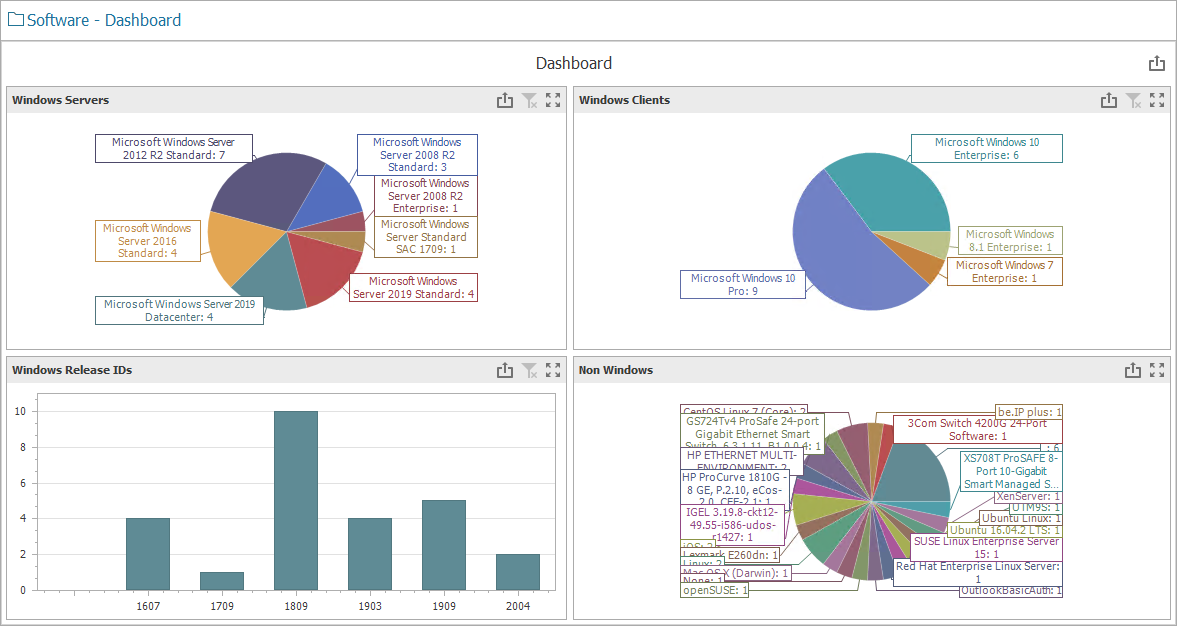
Create reports and IT documentation
Queries, dashboards and reports prepare inventory data for different tasks. Instead of compiling a new list every time, recurring evaluations can be defined. The documentation functions support the output and regular provision of information.
Different perspectives can be useful for operations than for purchasing or management. We recommend starting with a few specific questions: Which devices need to be replaced? Where is a specific software version found? Which inventories belong to a location? Only then do we determine the display and update frequency.
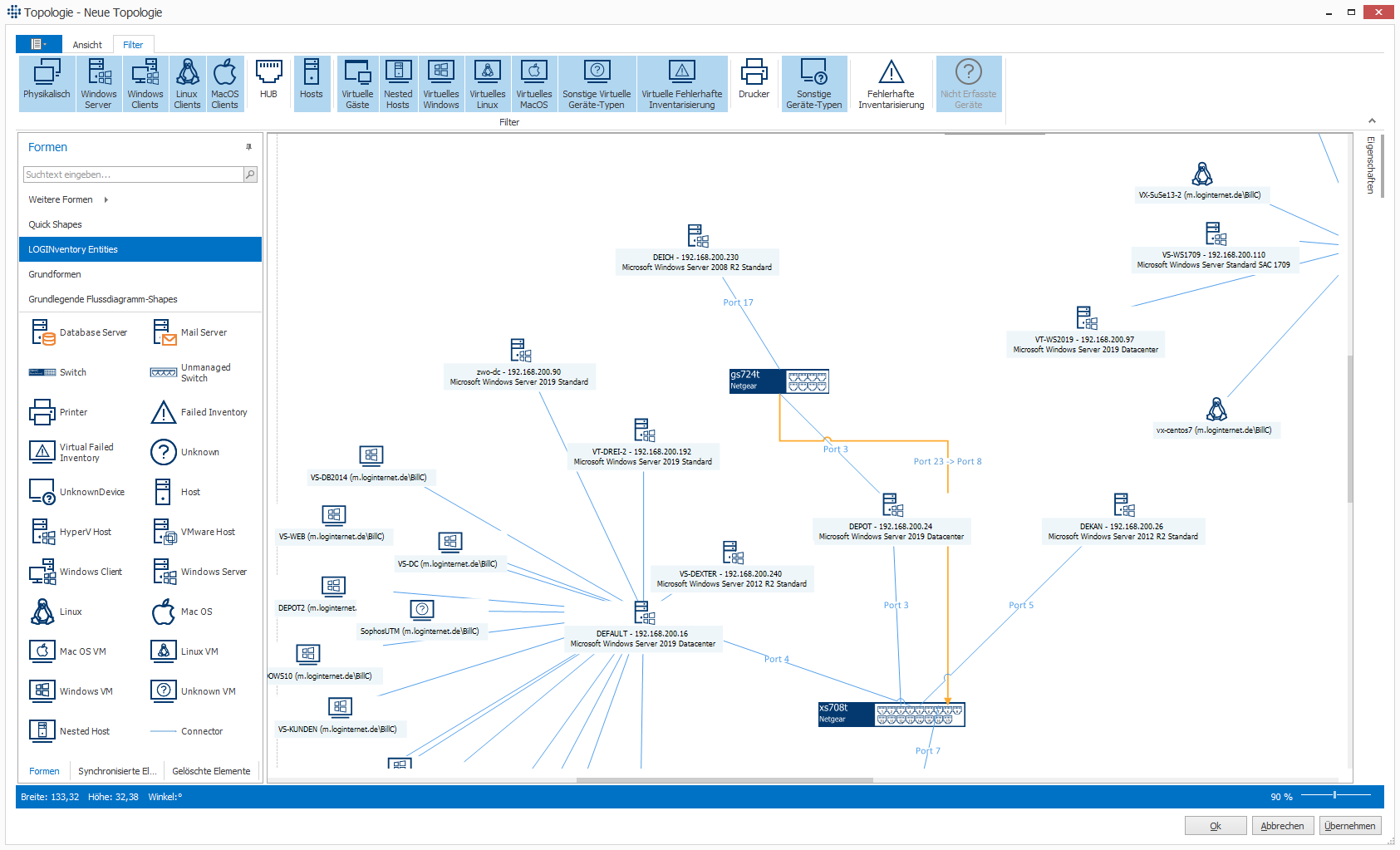
Consider the network in context
The topology view makes discovered devices and connections graphically accessible. The readable information from the network components plays an important role in the automatic determination of network connections.
A plan is especially helpful when the team is taking over a location, tracking connections, or preparing for changes. Its significance depends on the database. That's why we check the areas recorded with you and add the organizational context, which does not result from a scan alone.
Information that helps in everyday life.
Prepare for renewals
Evaluate devices according to technical characteristics and location. This creates a comprehensible basis for the next round of procurement.
Check software inventories
Investigate the distribution of an application, identify different versions and limit the scope of a planned change.
Make knowledge accessible
Answer recurring inventory questions via defined evaluations and keep the documentation usable for representations and handovers.
The greatest benefit arises when an evaluation is followed by responsibility. Who will clarify missing devices? Who checks a suspicious license position? Who decides on the replacement? We therefore connect the facility with your processes and the people who then work with the results.
Choose the appropriate scope
LOGINventory differentiates between a focus on inventory and an expanded scope for software asset management. Additional requirements, such as the management and output of peripherals, may affect additional modules. We check the edition and additions you need based on your commitment before you commit.
Start with a clear goal.
You don't have to edit all assets and license models at the same time. A differentiated entry provides verifiable results more quickly and shows which data and processes are still missing. bbi supports you from the recording of requirements to the use of the first evaluations.
Determine questions and scope
We work together to determine which devices, locations and applications should be considered first and which decisions the data should support.
Prepare capture
Network access, authorizations and data collection paths are coordinated with your IT. We also take devices that are temporarily unavailable into account.
Check results for plausibility
We compare the recorded inventory with your expectations, investigate gaps and set up the first queries and reports.
Organize ongoing operations
Responsibilities, updates and regular checks ensure that the initial inventory becomes a well-maintained working basis.
If your focus is on licensing issues, we combine the technical introduction with ours License management offer. We will discuss which solution is best based on your requirements; also Raynet ONE SAM AI is part of our product portfolio.
Good to know.
Does an agent need to be installed on every device?
Agentless capture is possible for accessible systems in the local network. Depending on the device type and access, different procedures are used. A supplementary agent can be useful for mobile or otherwise not directly accessible systems.
Is license management already done with an inventory?
No. The inventory provides technical information. For a reliable license assessment, rights, contracts, assignments and license rules must also be taken into account. We support you in this connection.
Where is the data stored?
LOGINventory can be operated in your own infrastructure with an SQL database. The specific architecture as well as additional interfaces and optional services are taken into account during planning.
Can I create my own evaluations?
Yes. Queries and reports can be built for your questions. We recommend initially setting up a few regularly required evaluations and checking them based on the data collected.
Can LOGINventory also manage peripherals?
There are extensions for additional asset tasks such as issuing and returning peripherals. We will clarify with you which functions are required and which licensing fits.
How do I get a suitable offer?
Tell us the approximate scope of the device, your locations and the desired tasks. From this we clarify the edition, additions and the need for support for the introduction.
YOUR NEXT STEP
What would you like to improve?
Discuss your initial situation with us. Together we will clarify how LOGINventory fits your requirements and what support you need.
Discuss LOGINventory with bbi →Frequently asked questions
What can LOGINventory inventory?
LOGINventory records hardware and installed software in the IT environment. Depending on the data source, network devices such as printers and switches can also be included.
Can LOGINventory capture devices without an agent?
LOGINventory can capture devices without an agent depending on the system and access method. Tell us your operating systems and the locations of the devices. This allows us to clarify which access rights and connections are necessary for the recording.
How does LOGINventory support license management?
LOGINventory brings together inventory information and license certificates for evaluations. To ensure a reliable license position, compare the results with usage rights and the relevant license rules.
Can bbi demonstrate LOGINventory based on our use case?
Yes, we can show LOGINventory in a live demo. Tell us the systems and evaluations you would like to evaluate so that we can tailor the demonstration accordingly.